
RTx EasyConnect overview
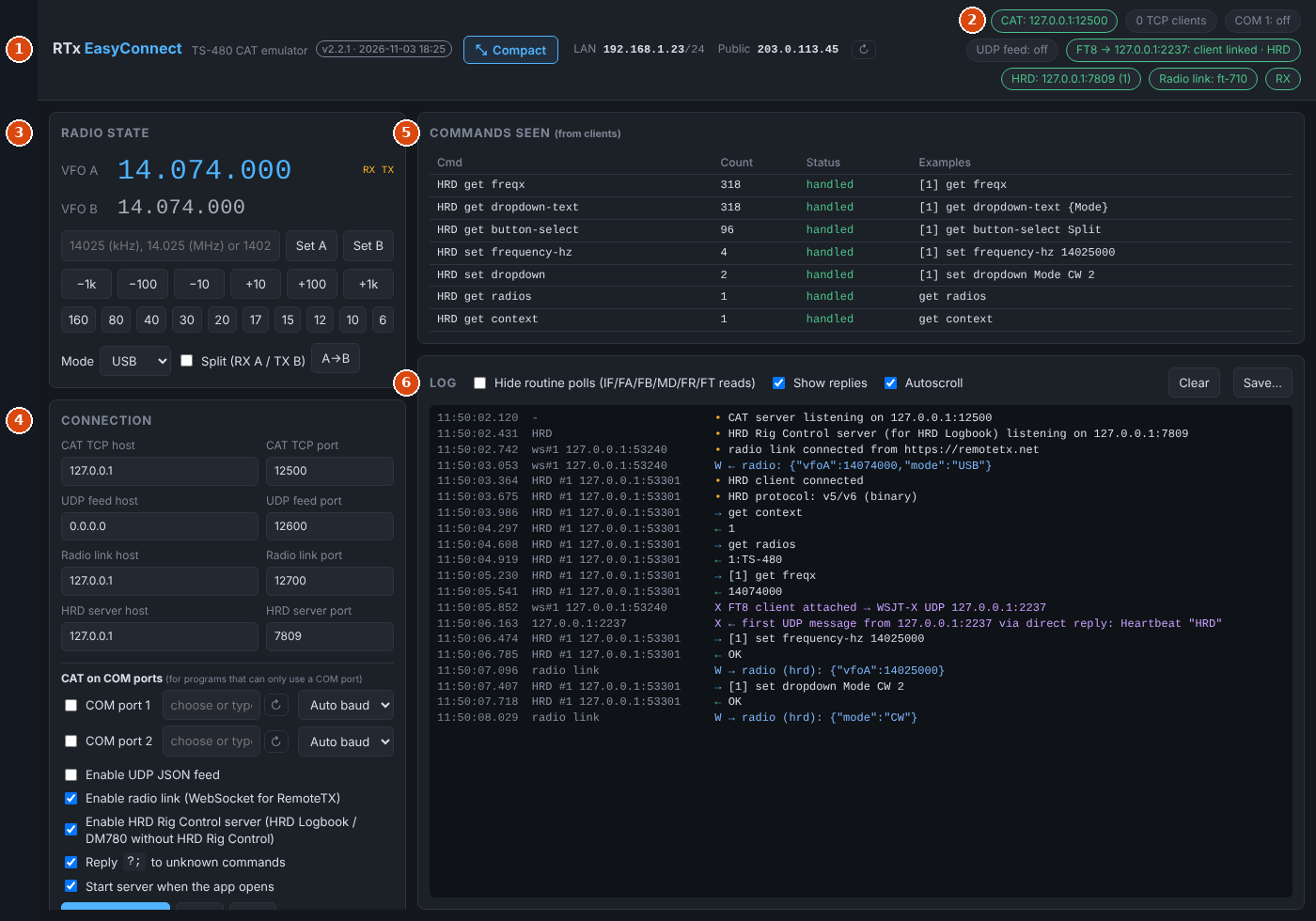
RTx EasyConnect is a small desktop app for Windows and macOS that connects your logging and contest software to a radio you're operating through RemoteTx. It runs on the same computer as your browser.
To your logger, EasyConnect looks like a Kenwood TS-480 on a TCP port (or a COM port). Behind the scenes it passes frequency, mode and PTT to and from the radio through the RemoteTx page in your browser. For HRD Logbook it can stand in for HRD Rig Control, and for FT8 it presents the RemoteTx FT8 tab to loggers as if it were WSJT-X.
What it connects#
| On your computer | Through EasyConnect | To |
|---|---|---|
| N1MM Logger+, WSJT-X, or any program with Kenwood TS-480 CAT | TS-480 CAT on TCP 127.0.0.1:12500, or a COM port | The radio, via the RemoteTx page (EC button) |
| HRD Logbook, DM780 | HRD Rig Control protocol (TCP port 7809) | The radio's frequency and mode, without HRD Rig Control |
| HRD Logbook, JTAlert, GridTracker, Log4OM… | WSJT-X UDP protocol (port 2237) | The RemoteTx FT8 tab |
| HRD Logbook QSO Forwarding, N1MM | N1MM Logger+ broadcasts (ADIF, port 2333) | QSOs logged in the FT8 tab |
| Your own scripts | JSON over UDP (port 12600) | EasyConnect's radio state |
 N1MM / WSJT-X ──TS-480 CAT──────┐
 HRD Logbook ────HRD Rig Control─┼─► RTx EasyConnect ◄──WebSocket──► RemoteTx page (EC) ──► Radio
 HRD / JTAlert ──WSJT-X UDP──────┘          ▲
                                            └──── FT8 tab: decodes, status, logged QSOs
Changes go both ways: click a spot in N1MM and the radio tunes; turn the radio's knob and N1MM follows.
Quick start#
- Install EasyConnect on the computer you operate from, and start it. The CAT server starts by itself on
127.0.0.1:12500. - In RemoteTx, connect your radio on the Radio tab and click EC (next to VFO, PTT and CW). It turns red when linked, and the Radio link pill in EasyConnect shows the radio's name.
- Point your logger at EasyConnect: in N1MM, Config → Configure Ports… → Hardware: Port TCP, Radio TS-480, address 127.0.0.1:12500. See Connecting loggers for WSJT-X and COM-port programs, and HRD Logbook rig control for HRD Logbook.
- For FT8 logging, open the FT8 tab in RemoteTx. With HRD (or JTAlert, GridTracker…) listening on
127.0.0.1:2237, decodes and logged QSOs appear there. See FT8 to loggers.
If Chrome asks whether the RemoteTx site may access devices on your local network, allow it. That's how the page reaches EasyConnect.