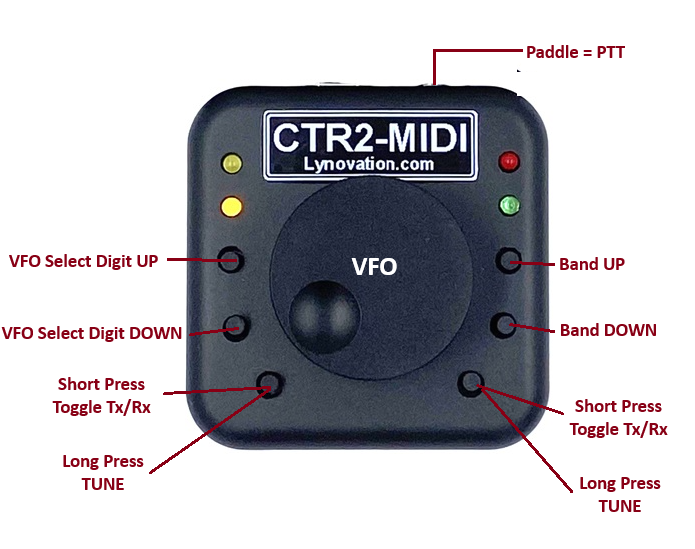
RemoteTx supports the use of the CTR2-MIDI VFO control knob available from Lynovation:
It presents itself as an HID device that the web browser can attach to. A nice advantage to this approach is the VFO knob will continue to control the radio even if keyboard/mouse focus is no longer on the RemoteTx web browser window. For example, you can be manipulating N1MM+ while contesting and change frequency or trigger PTT without leaving the N1MM+ program focus.
This works on a PC or Mac (chrome recommended). Unfortunately iPhone, iPad and Andriod devices do not support using an HID device in a browser context. (Must be running CTR2-Midi firmware v.2.01.00 or greater.)
Link to CTR2-MIDI Product Page
You are able to control the following functions found in RemoteTx Radio Interfaces:
- VFO Up and Down by turning knob
- VFO selected digit Up and Down (Buttons 1/2)
- Band Up and Down (Buttons 5/6)
- Tx/Rx Toggle (Buttons 3/4)
- Tune Function (Buttons 3/4 Push and Hold)
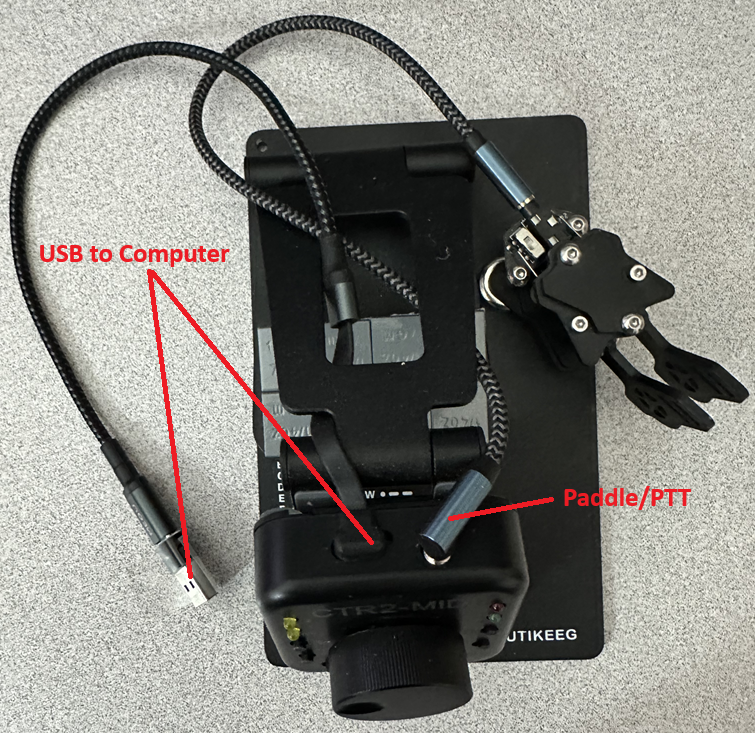
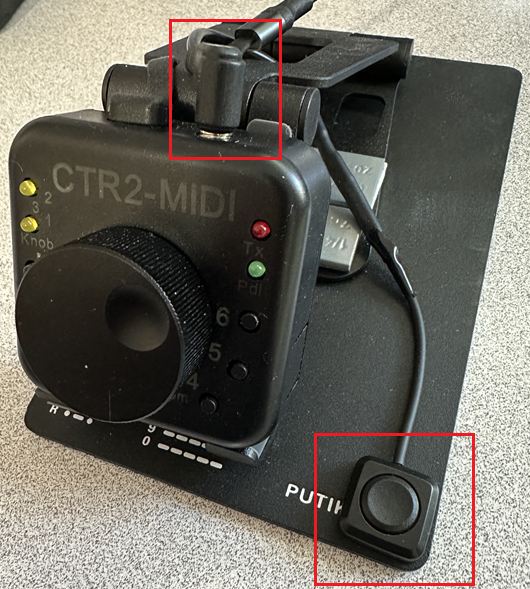
- PTT function by connecting a PTT switch to Paddle plug.
(Does not do paddle function for CW) - Icom RIT Adjustment (Knob Push and Turn)
Prerequisites:
- You MUST be running CTR2-MIDI firmware v2.01.00 or later. If your CTR2-MIDI was purchased before Feb 5, 2026, then it will need to be updated.
Latest firmware can be downloaded at: https://ctr2.lynovation.com/download-ctr2-midi-firmware
Please update the firmware before trying to use with RemoteTx.
To Use the CTR2 knob:
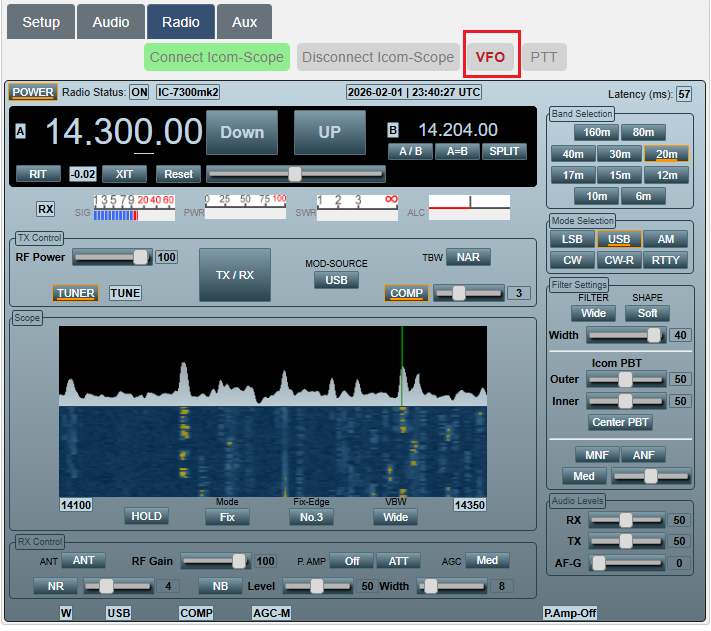
- Click on the Radio Tab and then click the VFO button, then choose XIAO_ESP32S3 and then click connect.
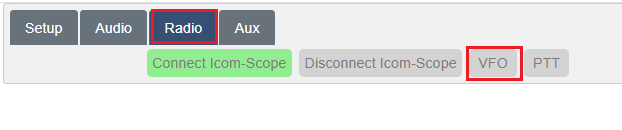
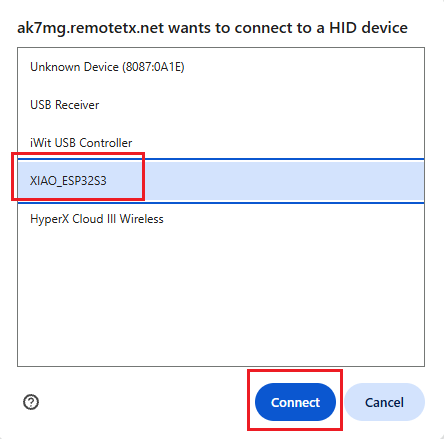
- VFO should now be highlighted in Red. You can now connect to the radio and use the knob.
(On a refresh usually the Knob will automatically connect and already be highlighted in Red. If not, just click VFO and re-attach.)

- CTR2 as VFO connected while operating Icom 7300-MK2.
CTR2-MIDI Accessories & Ideas:
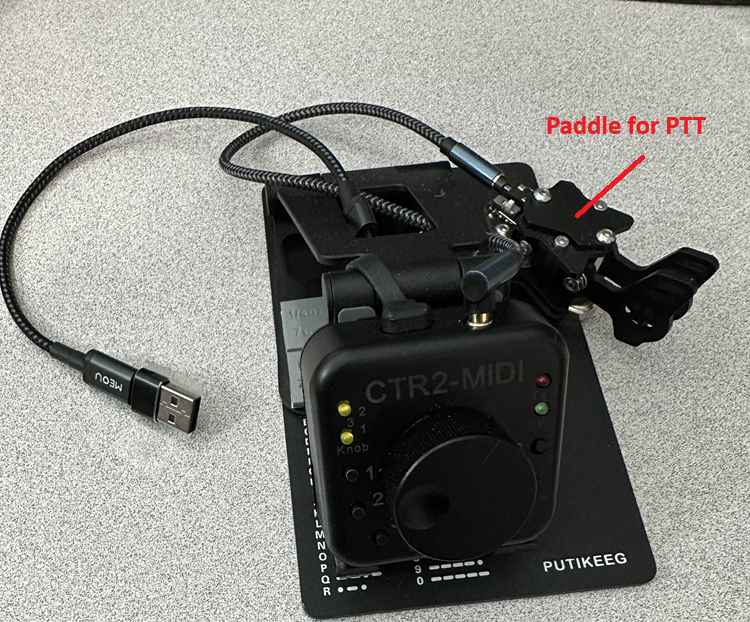
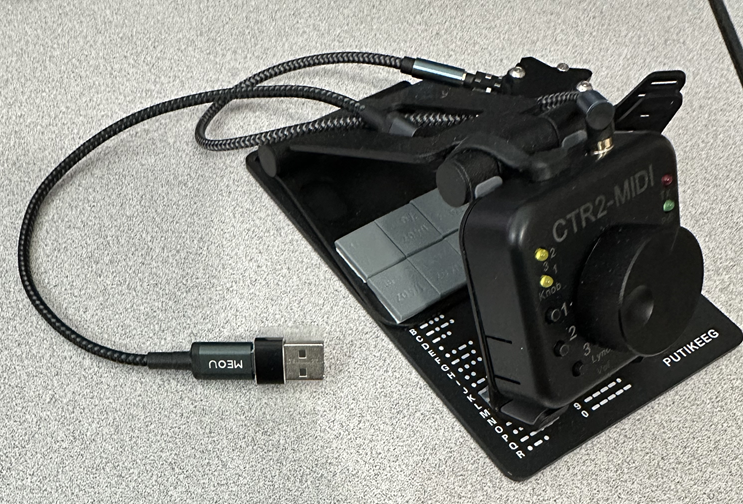
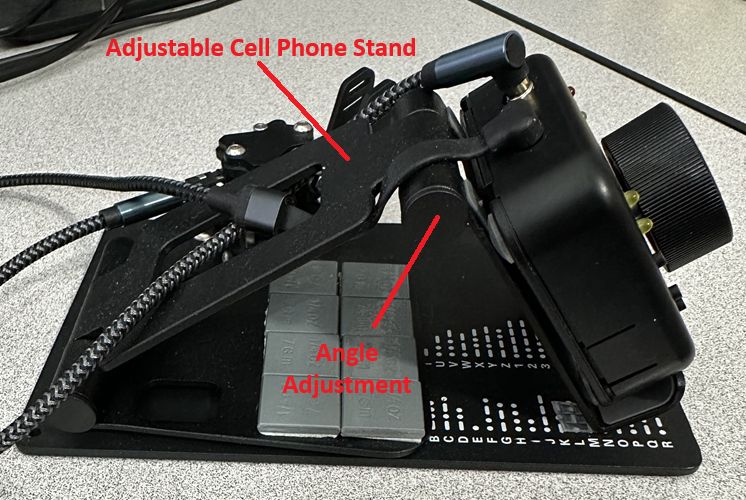
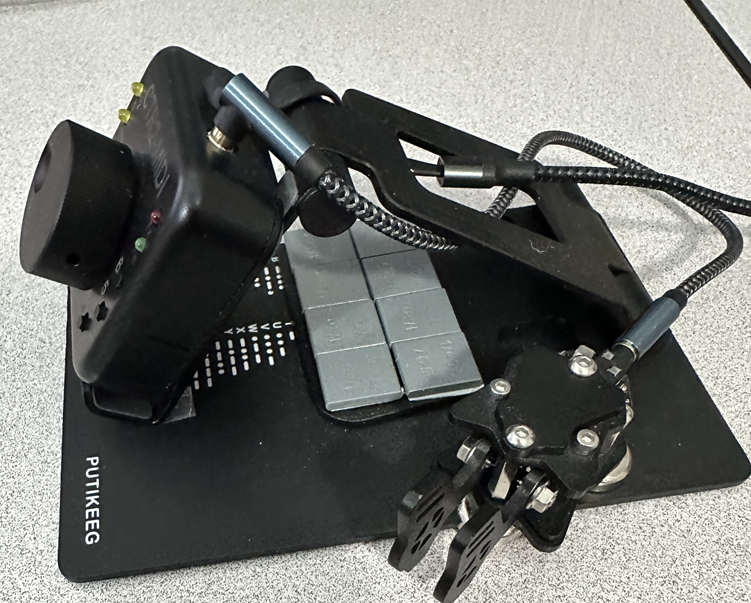
A nice modification the the CTR2-Midi is to mount it on a foldable cell phone stand and then mount that on a Putikeeg steel plate.
The angle that the knob sits at can be adjusted to your preference, and the additional weight keeps the knob/buttons grounded as you manipulate them.
Use Scotch Extreme Mounting Tape for attaching everything.
You can also add a magnetic mount paddle (Putikeeg) to the plate that is used for PTT.
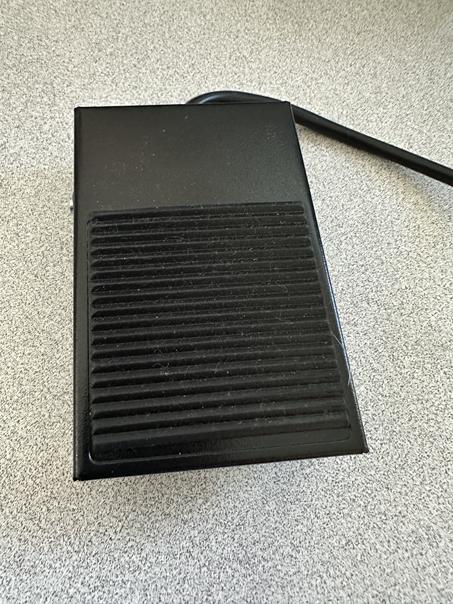
Another PTT button idea:
List of Materials:
- Adjustable Cell Stand
https://www.amazon.com/dp/B07F8S18D5 - Putikeeg Steel CW plate
https://www.amazon.com/dp/B0B6P6VHPY - Putikeeg Magnetic Mount Keyer
https://www.amazon.com/dp/B0B2ZLY4C1 - 90 Degree USB cable
https://www.amazon.com/dp/B0DQ8B8PFR - 90 Degree 3.5mm audio cable for keyer/PTT
https://www.amazon.com/dp/B08MDPW6R2 - Scotch Extreme Mounting Tape
https://www.amazon.com/Scotch-Extreme-Mounting-1-inch-60-inches/dp/B009NP1JQC
PTT Device Options:
- Mini PTT Button
https://www.amazon.com/dp/B0BNM5P5BC - Hand PTT Switch
https://www.amazon.com/dp/B0FFGHVSF9
1/4″ to 3.5mm Adapter for Hand Switch
https://www.amazon.com/dp/B07SRWZ77L - Foot Switch (does not include 3.5mm plug)
https://www.amazon.com/dp/B0BVB7PV35